Christianity in the AI Era

apps

Things I build after hours, with AI as my coding partner, for my family, my church and our fellowship.

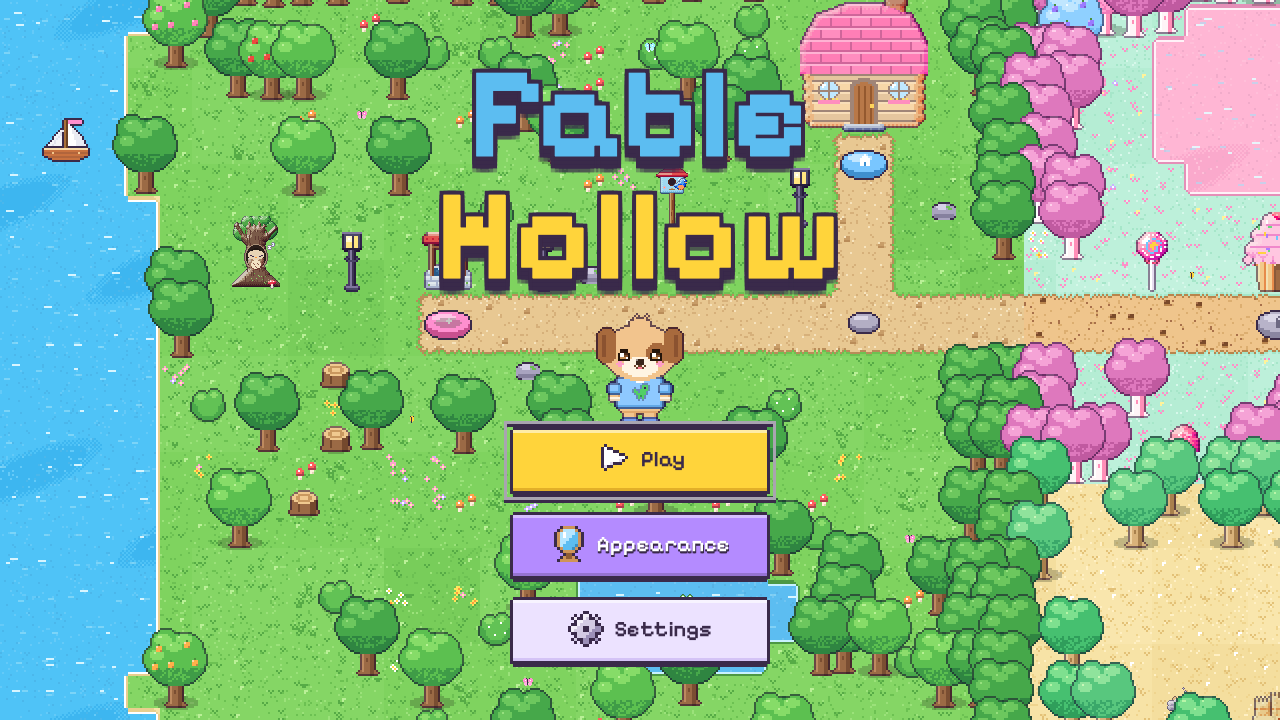
Fable Hollow title screen: a pixel-art meadow with a puppy hero, a cottage and a candy forest
game · for my daughter

Fable Hollow

Fable Hollow (first called Unicorn World, then Magical Valley) is a cozy pixel-art game I'm making for my daughter, who is just learning to read. She walks a unicorn, bunny, puppy or elephant across a world map, helps forest friends with mini-games, opens treasure chests, and dresses up in the wardrobe.

It's built for an early reader: every line is read aloud, with each word lighting up as it's spoken, and there are no fail states. It runs in the browser and installs on a phone like an app. So far there are 12 places to explore, 32 mini-games, 50 friends and 80+ outfits.

It's also my experiment in building with AI. I decide what goes in and test it on my phone, and Claude writes most of the code. Every picture, song and sound effect is generated in code rather than drawn by hand.
Fable Hollow home-screen icon

Get it on iPhone or iPad

Free, no App Store needed: it installs straight from Safari.

  1. 1Open magical-valley.vercel.app in Safari.
  2. 2Tap the Share button .
  3. 3Scroll down and tap Add to Home Screen.
  4. 4Tap Add. Fable Hollow now has its own icon and opens full screen.

Tip: install it first and play from the icon. The home-screen app keeps its own saved progress, separate from Safari, and it also works with no signal.

On Android, open it in Chrome, tap ⋮, then Install app. On a computer, Chrome and Edge show an install icon at the right of the address bar.
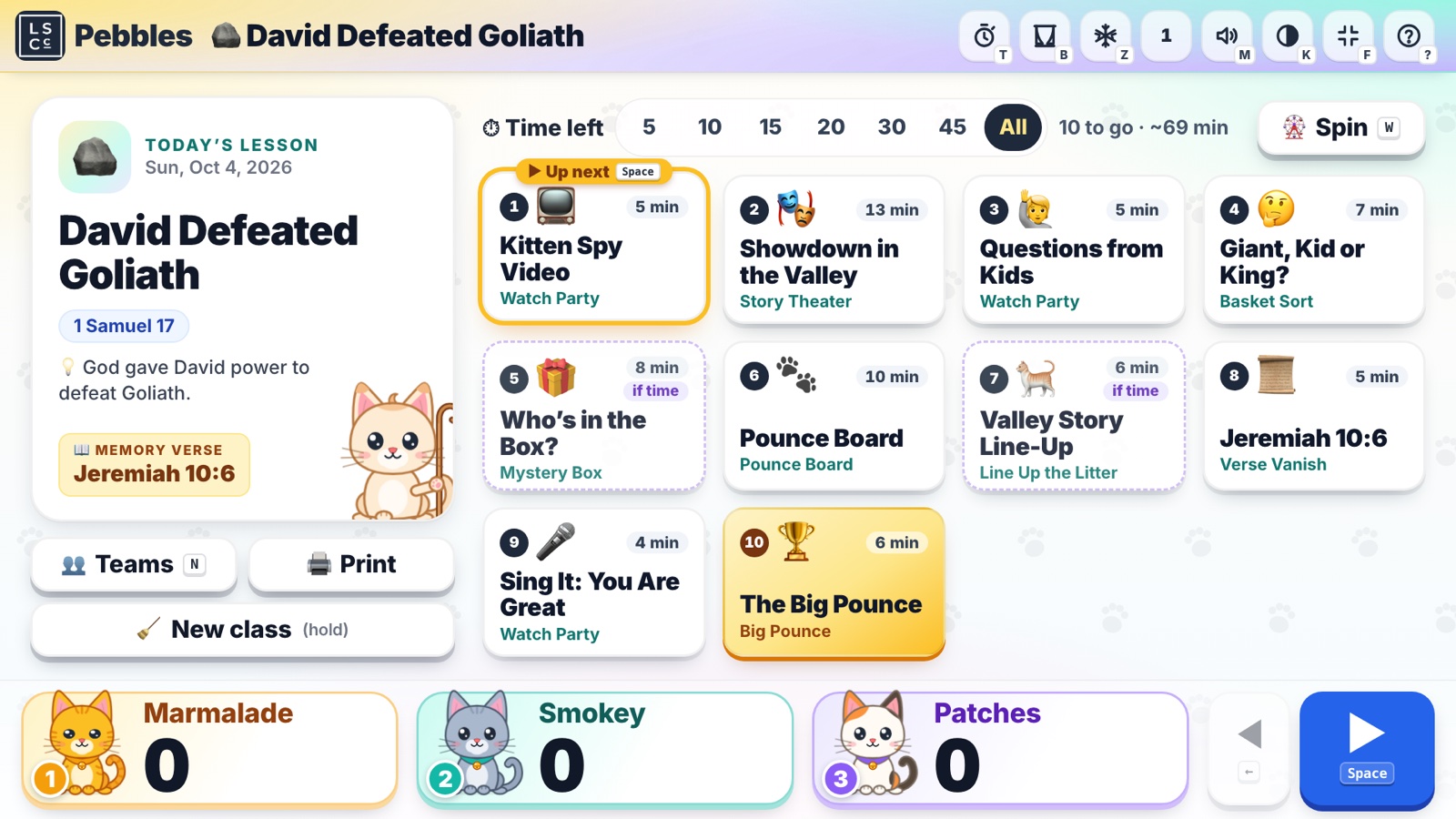
Sunday School Assistant classroom show for David Defeated Goliath: ten games on the board and three team scores along the bottom
group
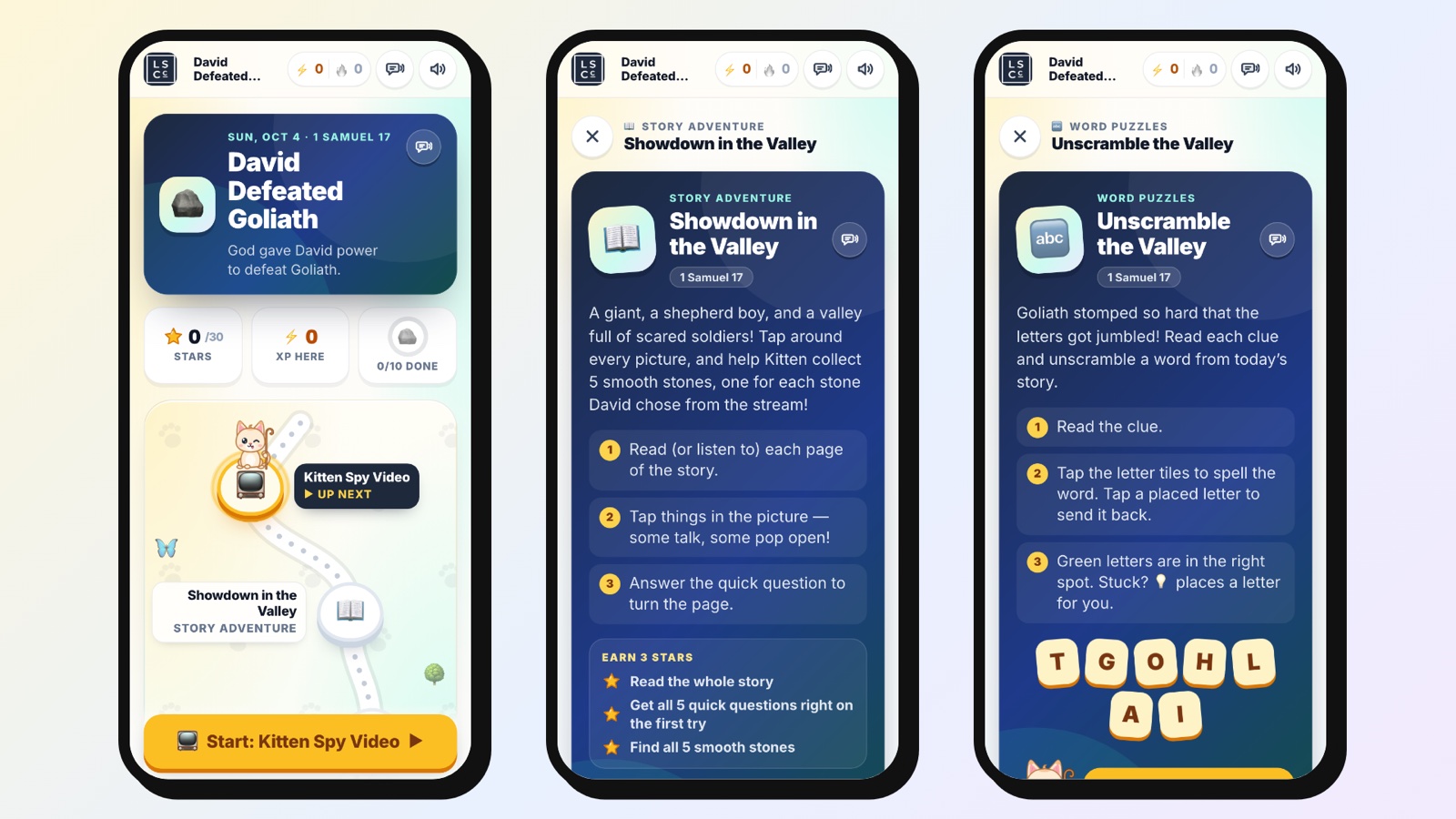
Sunday School Assistant Solo on three phones: the lesson journey map, a story adventure and a word puzzle
solo
bible games · 4th–5th grade sunday school

Sunday School Assistant

Sunday School Assistant turns each week's Sunday school lesson into interactive Bible games for our church's 4th and 5th graders, who know it as Pebbles. Every lesson comes in two versions:

  • Group: a projector show for the classroom. Each table is a team (one to three teams), the teacher runs it from a laptop, and the class plays through games like Story Theater, where the kids act out the passage, plus a Pounce Board, a mystery box, a memory-verse game and a big finale. There are 14 game types, with team scores along the bottom of the screen.
  • Solo: a touch-first journey on a phone or iPad for one child at home. It has story adventures, word puzzles, sorting and matching games and the memory verse, with stars, XP and streaks across 12 activity types. Progress stays on the device, so there are no accounts or logins.
The Solo version home-screen icon

Get it on iPhone or iPad

Free, no App Store needed: it installs straight from Safari.

  1. 1Open sws.ministriesnear.me/pebbles/solo in Safari.
  2. 2Tap the Share button .
  3. 3Scroll down and tap Add to Home Screen.
  4. 4Tap Add. The Solo version now has its own icon and opens full screen.

It shows up on your home screen as Pebbles Solo, with every lesson inside.

On Android, open it in Chrome, tap ⋮, then Install app. On a computer, Chrome and Edge show an install icon at the right of the address bar. Step-by-step pictures ↗

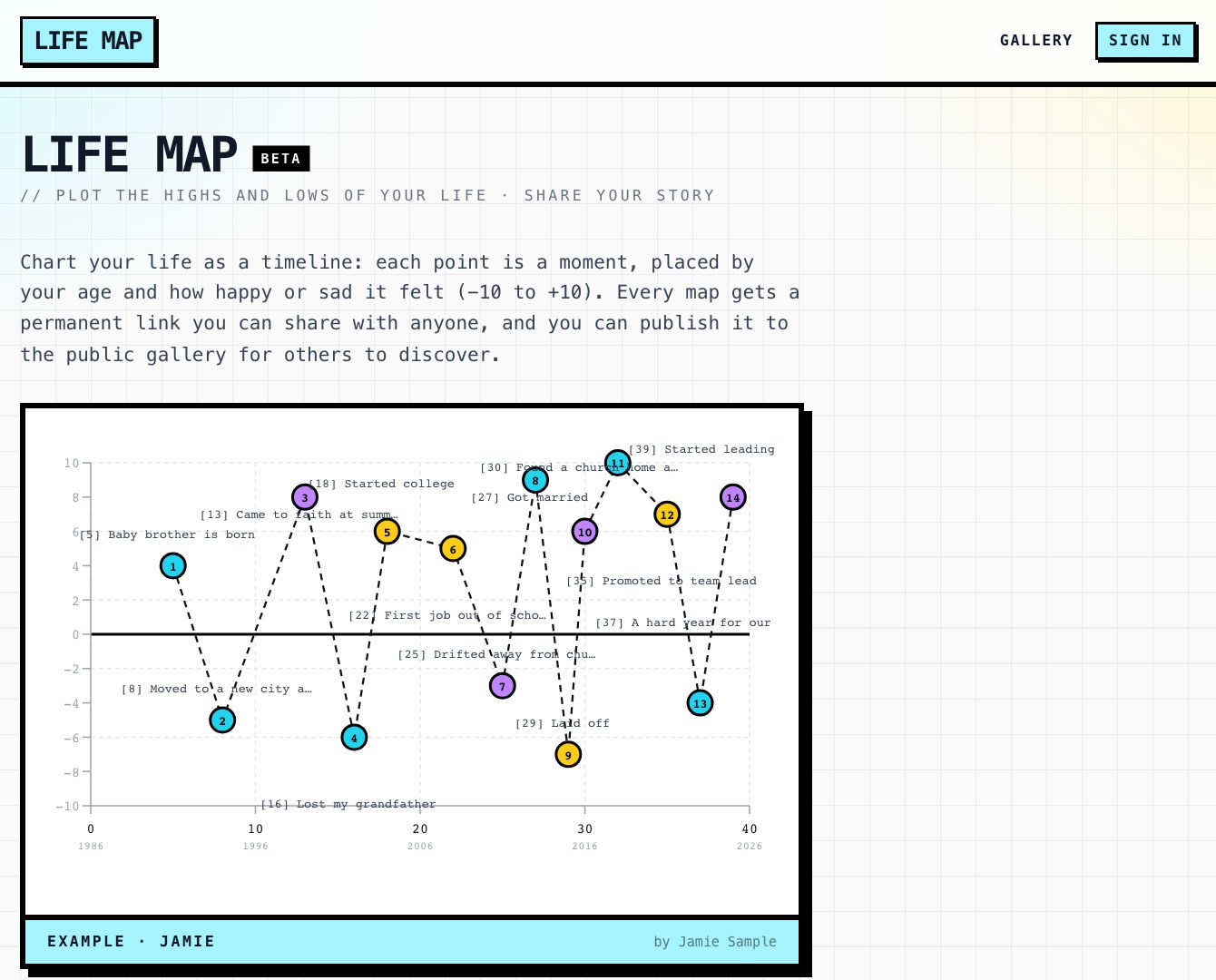
Life Map home page with a sample life chart of highs and lows by age
home
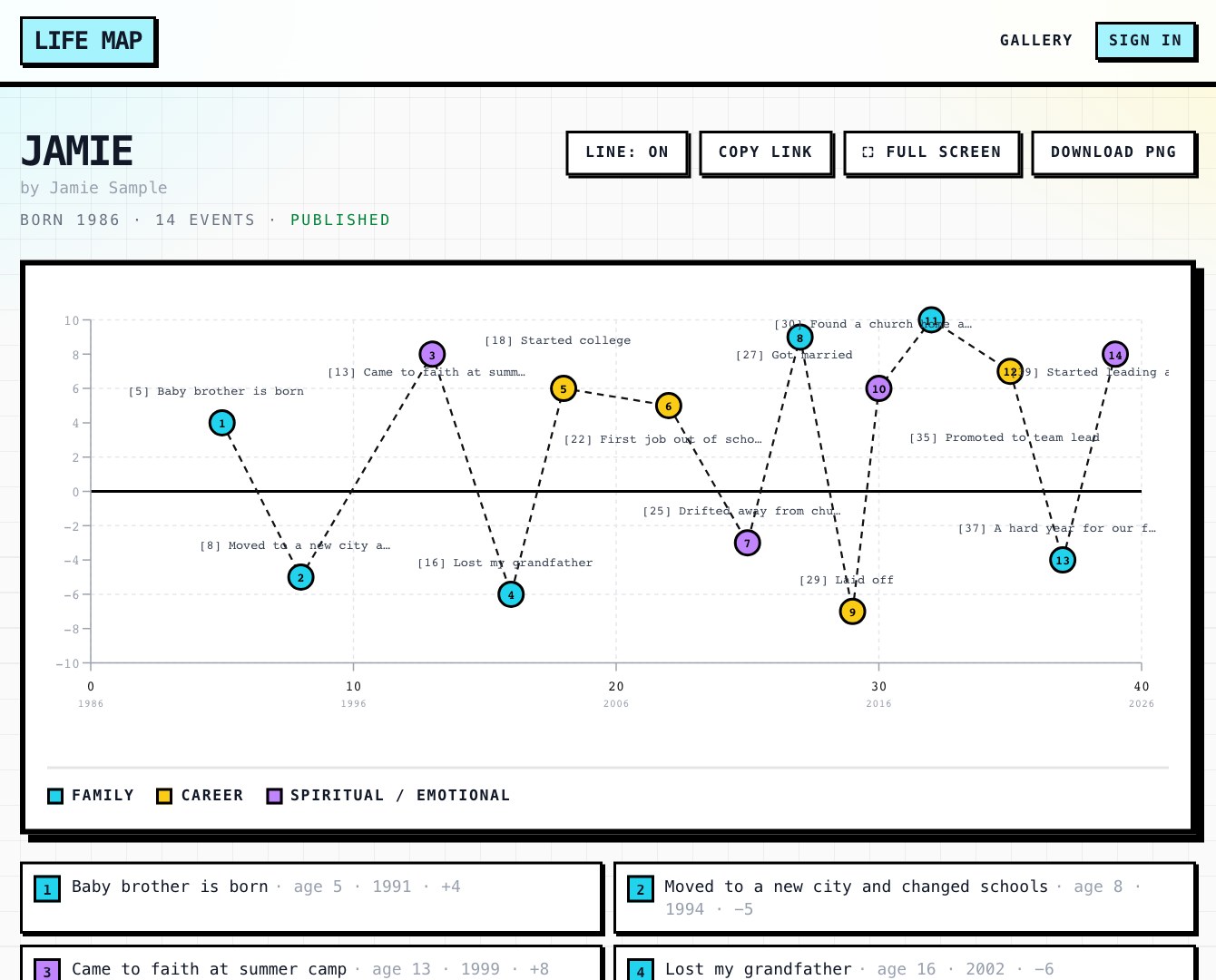
A sample life map: 14 moments plotted by age and happiness, colored by family, career and spiritual life
a life map
life story chart · chartof.me

Life Map

Life Map lets you plot the highs and lows of your life on one chart. Every moment that mattered is a point, placed by how old you were and how happy or hard it felt, from −10 to +10. Points are colored by family, career or spiritual and emotional life, so you can see the seasons and turning points of a whole story at once.

Every map gets a permanent link you can share, can be downloaded as a picture, and can be published to a public gallery. It started as a feature inside SWS Hub for our small group and grew into its own app at chartof.me.

Screenshots show a made-up sample life.

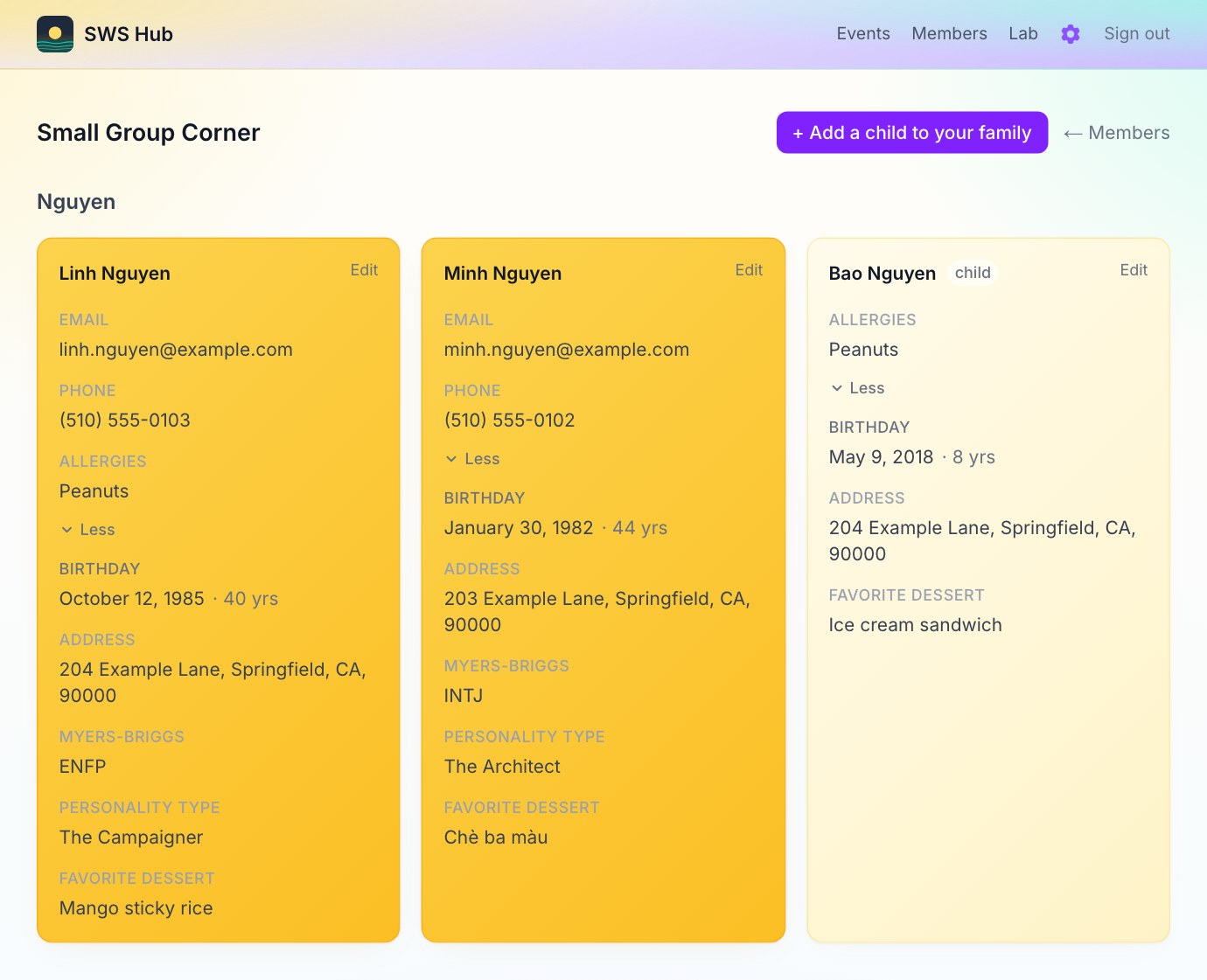
SWS Hub Small Group Corner: one family’s cards with email, phone, allergies, birthday, address, Myers-Briggs type and favorite dessert (sample data)
small group corner
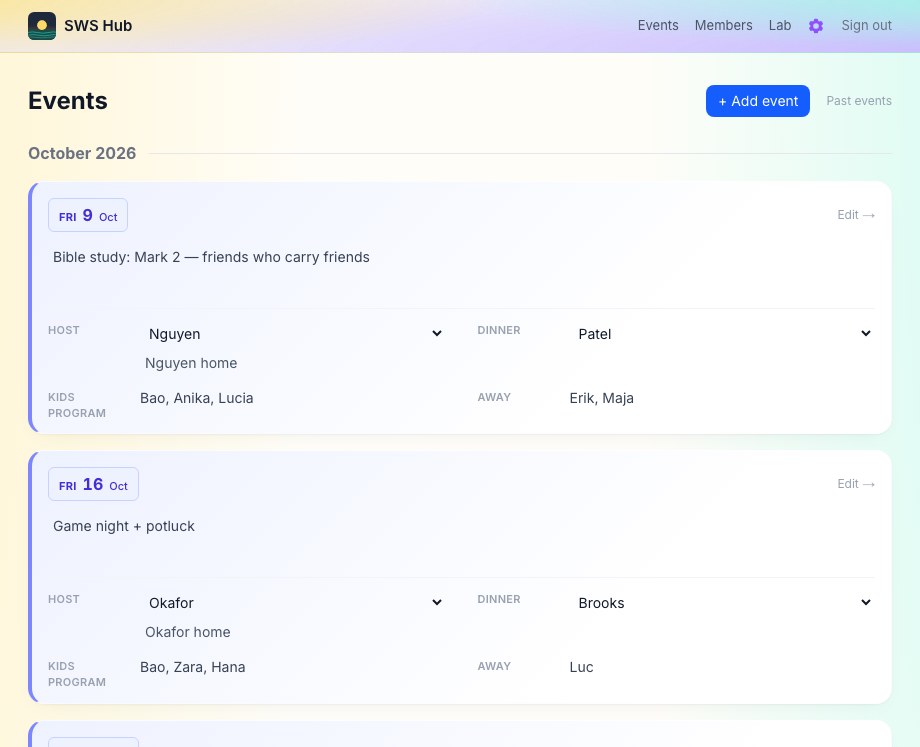
SWS Hub events: upcoming Friday meetings with agenda, host, dinner, kids program and who is away (sample data)
events
small group hub · members only

SWS Hub

SWS Hub is the home base for our South Warm Springs small group at Living Stones Christian Church. Every Friday shows up as an event on its own: the agenda, which family is hosting, who's bringing dinner, which kids are in the children's program and who will be away. A weekly reminder email goes out before each meeting.

Members sign in with Google, matched to their member record. In the Small Group Corner, each family has its own color, and everyone's card shows how to reach them, allergies to know about for dinner, birthdays (with a heads-up when one is coming), Myers-Briggs and personality types, and favorite desserts. There's also a Lab of fun extras, like an emoji board, go/no-go votes on ideas and a stock-picking game.

Screenshots use made-up sample people, not our real members.